
I've been using regular Porta Pros for over 3 years, and only recently made the jump to their second wireless counterpart. They're essentially the same headphones. Same driver, same plastic, same ear foam. Except, of course, the wireless one has a driver and Bluetooth receiver built in. Thankfully, the issue isn't with the electronics.
Synopsis
For the first few months, this headphone will work great for you. Both channels can be heard nicely. But after those few months, issues arise. The left channel seems to go really quiet, or even completely cuts out. You might think the issue is with Bluetooth, so you try the good ol' wire, but even that doesn't help.
You find that the left channel occasionally starts working if you adjust the headband a little, play with the angle of the left side, essentially: try every mechanical fix. And that's the key. The issue is with the headband size adjusters. Those two little black rectangles on the top of the headband.
See, with the second attempt at making wireless Porta Pros, Koss successfully removed the little bridging wire coming from the bottom of both speakers. Instead, they split the headband into two separate electrically conductive links which carry the signal for the left speaker. This is very fancy and cool, until you realize hair naturally builds up grease, and this headband picks this grease up.
This is where we come back to the headband size adjusters. To make solid electrical contact, inside the adjusters are two metal pads, which help the two separate links from both sides make contact. Unfortunately, frequent expansion and contraction of the headband causes the wipers to pick up grease from your hair. Over time, that grease builds up between the contacts and slowly breaks the electrical connection.
That's also the reason why the left speaker occasionally works at a certain angle: the odd angle creates a new contact patch on the two links. So how do you fix it?
The fix
It's actually very simple, and I'm shocked no one has discovered it yet. I have seen a few Reddit threads complaining of this exact issue and the common solution is just to send them to Koss and hope the limited warranty is still active.
But there is a much quicker, often less than 10 minutes in total, fix. It involves taking the headband size adjusters apart and using some alcohol (or water) to gently scrub across those metal links and wipers until they're nice and clean. Keep in mind that this will almost certainly void your warranty.
What you need
- #0 Phillips screwdriver bit (a box cutter tip might also work in a pinch)
- box cutter, small spudger, small flat head bit or anything small you can pry with
- (optional) isopropyl alcohol (water will work fine too)
- old toothbrush or a paper towel
Prerequisites
Make sure the headphone is off! You don't need to discharge the battery, since the speakers aren't actively driven when they're off. Also unplug them from the USB-C cable. The screws are quite small, so make sure not to lose them. An anti-static mat is neat, but not required.
The guide
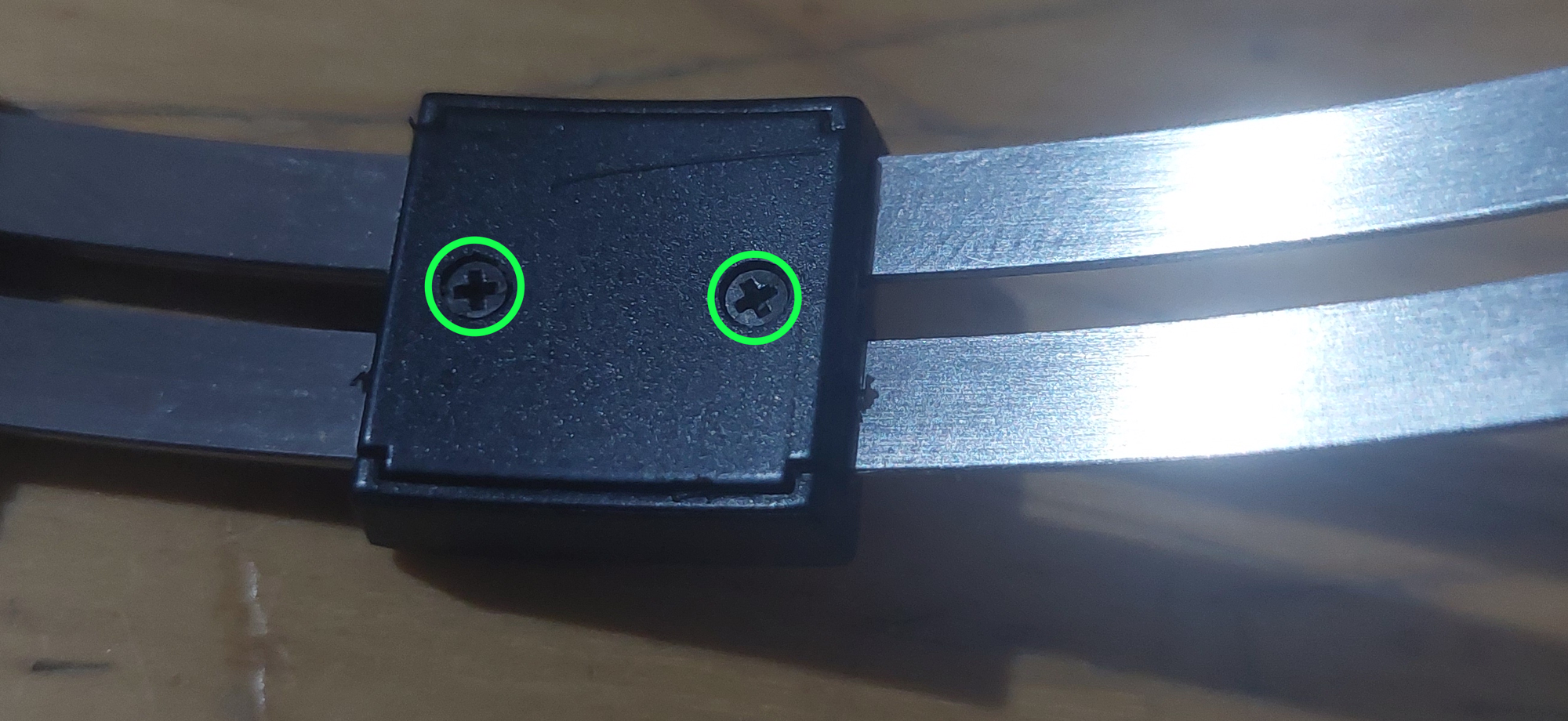
Start off by expanding the headband to the largest size. Then locate and remove the two #0 Phillips screws on the left side of the headband.
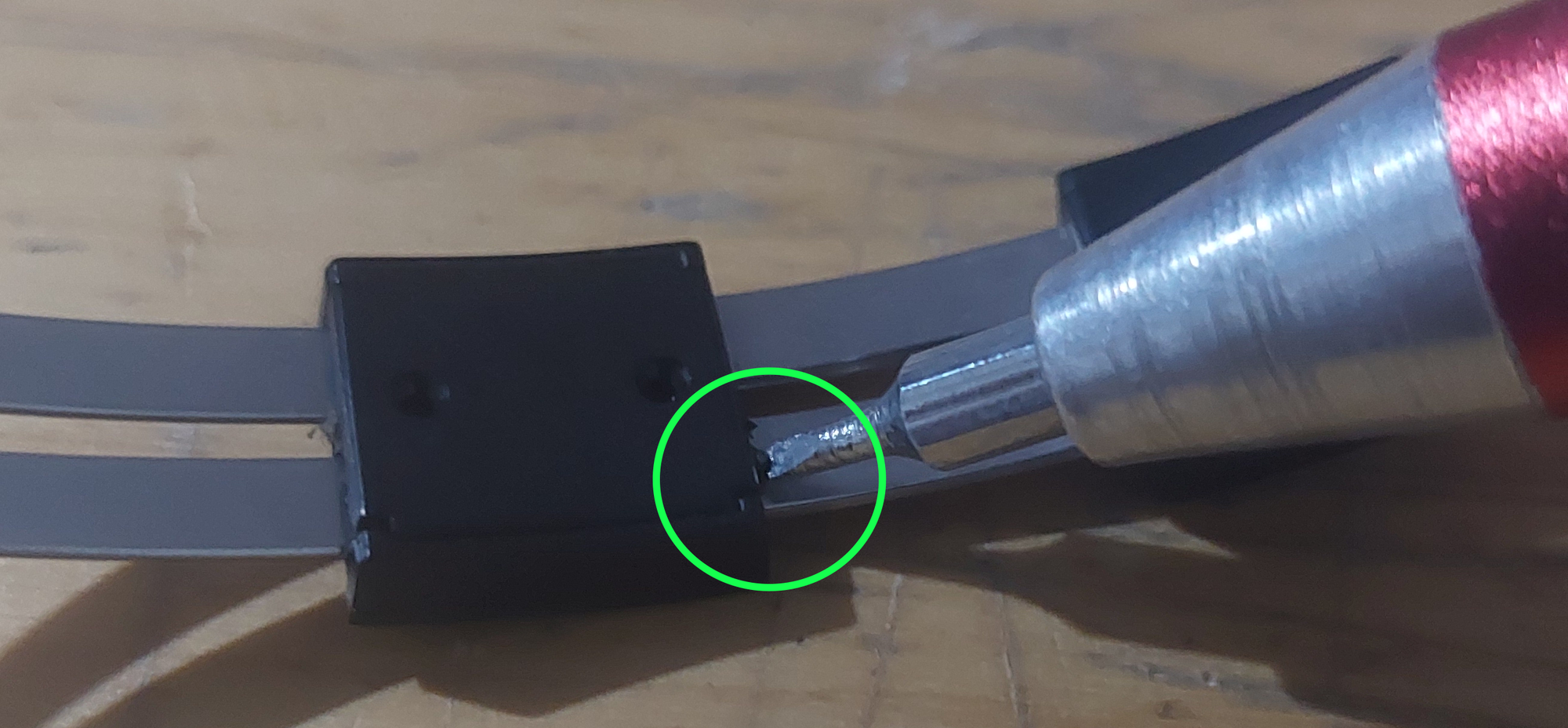
Now, use a spudger or in my case, a small flat head screwdriver to pry open the little cover. Ideally, start with one of the corners and push in between the part where the headband and cover plate meet. Don't be afraid to really pry hard. It might take a lot of force. Be careful not to make the cover plate shoot to the other side of the room, though.
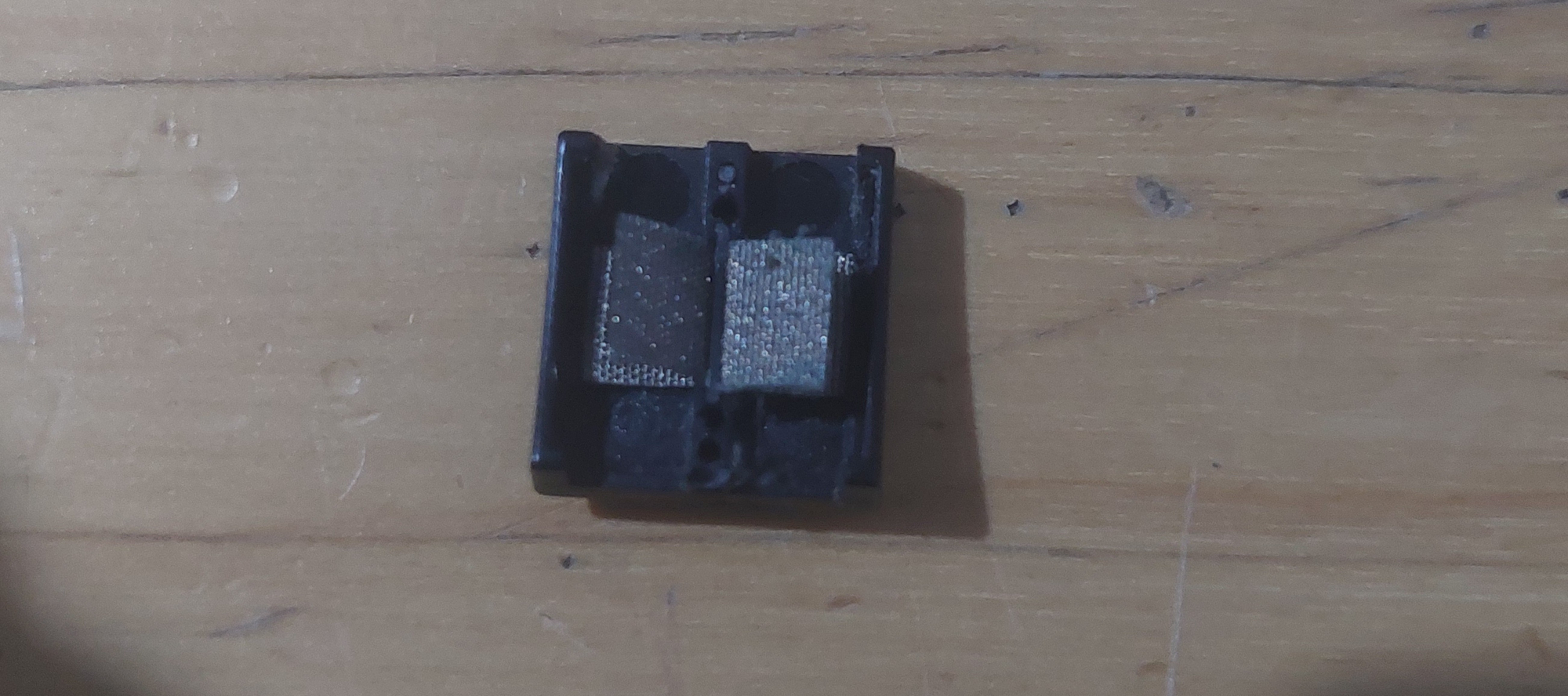
After removing the cover plate, you can also remove the back piece. Try not to lose the two metal wipers which aid in creating contact - and are also the sole reason behind this issue.
Now, remove the two wipers, and use IPA or water and a toothbrush or towel to wipe them clean. You should be able to notice the grease disappearing.
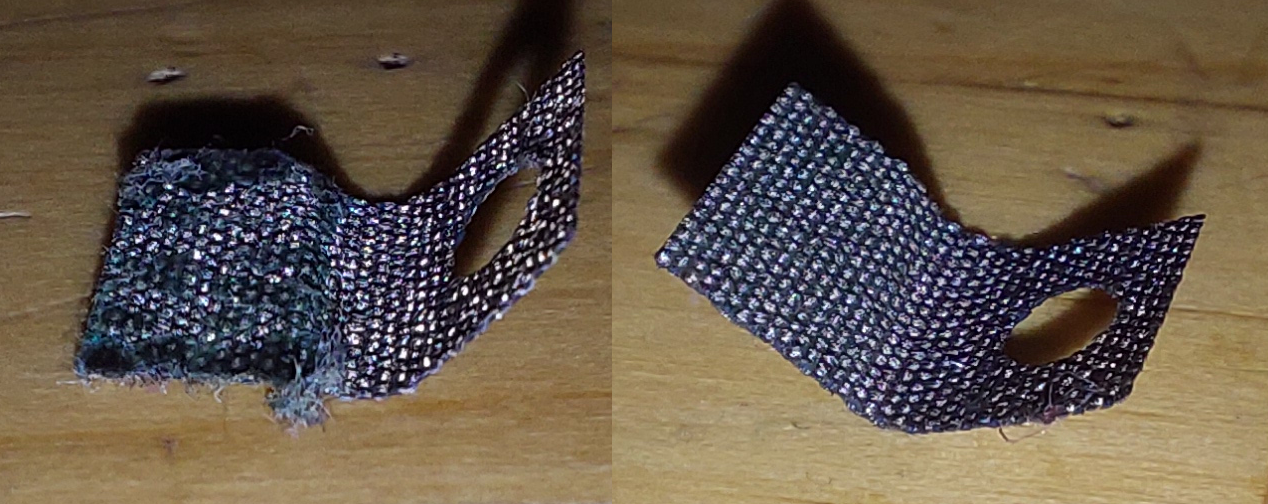
After that, you may neatly slot those wipers back down with the holes facing the support holes in the back piece. Make sure both wipers are at 90°, that way, you have a chance at fitting it back in between the two metal links of the headband. Close the wipers, such that it turns into a little sandwich, and the wiper is making contact with both sides of its respective link. Finish off by installing both of the screws.
Now, repeat the same for the right side. It's pretty much the same, only with the cover plate containing the support holes. The function of the two pieces is essentially reversed, but the fix is more or less the same.
Prevention
Of course, hair hygiene is important, but some people have naturally more greasier hair, so there's not much that can be done there. Taking a few minutes out of every month to give the headband a good wipe with alcohol seems to be the best way to avoid this issue altogether.
✌️